LESS Effort & MORE Sales with ESPOSresto ERP Restaurant Management software

ESPOSresto Restaurant ERP billing software (POS) is helping restaurants to run faster and smarter. We gave more important in making our software user-friendly. Manages all your restaurant operations like Pro so that you can focus on growing your restaurant brand. Even if the internet goes suddenly, it can continue working, this is one of our unique feature which takes the customer experience and service efficiency to another level. With customized online (cloud) based as per the customers request which keeps the business operation with and without internet.

Combines Advanced Tools and Features Offering a Complete Restaurant Management Solution ERP.

ESPOS Restaurant billing software (POS) is a cloud based POS system that ease the restaurant functioning from product purchase to customer billing. ESPOS easily accessible billing software is highly user-friendly, smart and fast operational that provide variant reports from daily sales report to advance customizable report which include sales profit & loss, purchase order, tax , inventory reports etc. GST (Goods and Service Tax) enabled software makes the user’s taxation, accounting, invoicing much simpler and hassle free.

ESPOSresto - Exclusive Features

Powerful, Simple & Customisable

Espos restaurant billing software ease the restaurant billing / sales function by providing single click access to Menu & Table. Process Sales, Return fast and smarter way. Integrated Take away / Parcel Services.

Post & Pre-payment Support, Running Orders, Add New Item to Running Order, Running Order Cancel, KOT Print/Kitchen Update for Only Modified Items, Dine In, Take Away, Delivery Order, Service/Delivery Charge, Table With Time Tracking, Instant Item Search, Most Selling Items Appear First, One Click To Find All Veg Items, One Click To Find All Beverages, Print KOT, Kitchen Notification, Discount by Item, Discount on Total, Discount by Fixed or Percentage, Waiter Assignment, Instant Customer Add Option, Hold Sale, Tab Responsive.

KOT & Kitchen Panel

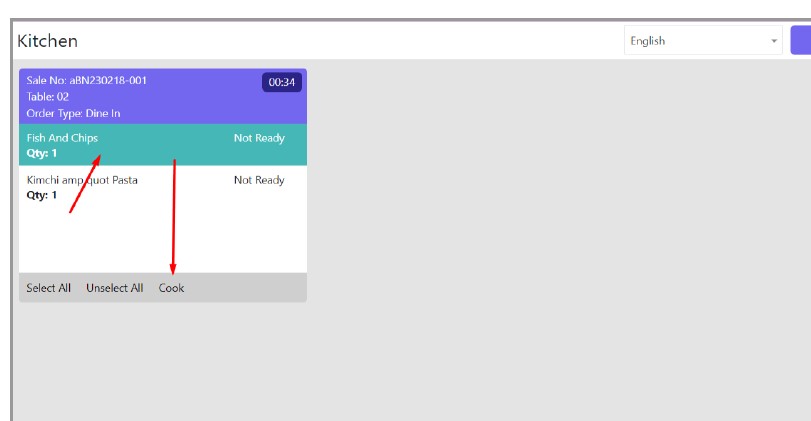
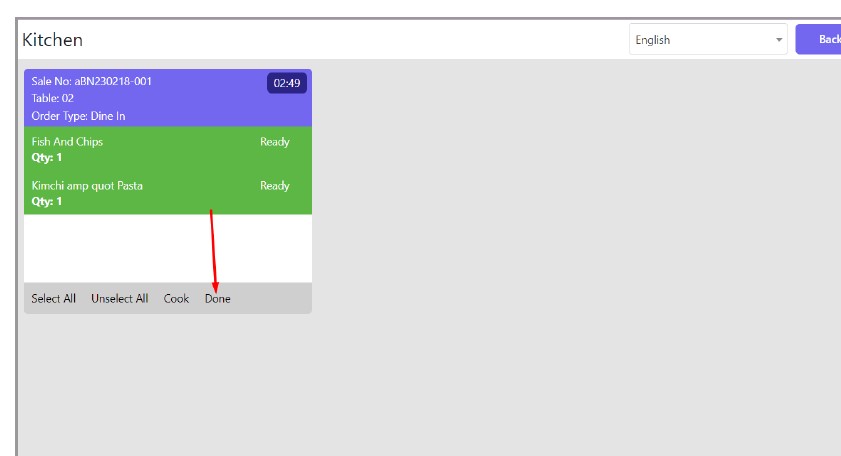
ESPOS POS software allow waiters to sent orders to kitchen monitor or kitchen printers.  Place, change, add or remove items directly to kitchen make ESPOS billing software differ from other billing software.
Pre and Post Payment System

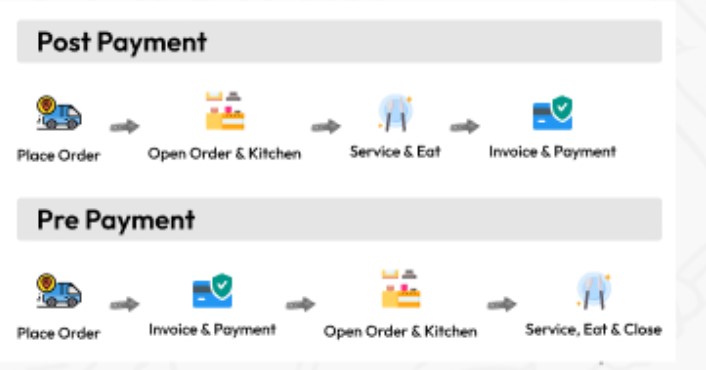
Here there are two types of ordering processes. One is Prepayment where customers have to pay in advance when ordering the food. In the Post Payment option, customers can pay bills after eating or taking the food. You can set any of those based on your restaurant type.
Floor Plan Design & Table Order Management

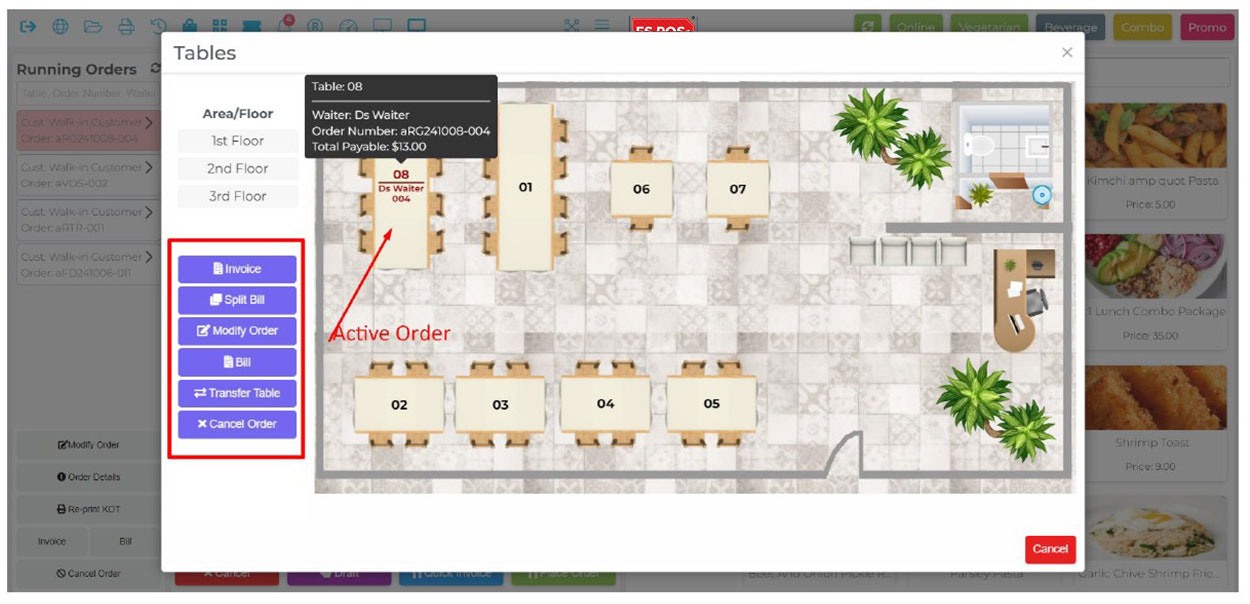
Table Management, Realistic Table Layout Design, Area Wise Table Management, Table Selection for Dine In, Table Time Tracking, Restrict Table Selection On Ongoing Table etc.

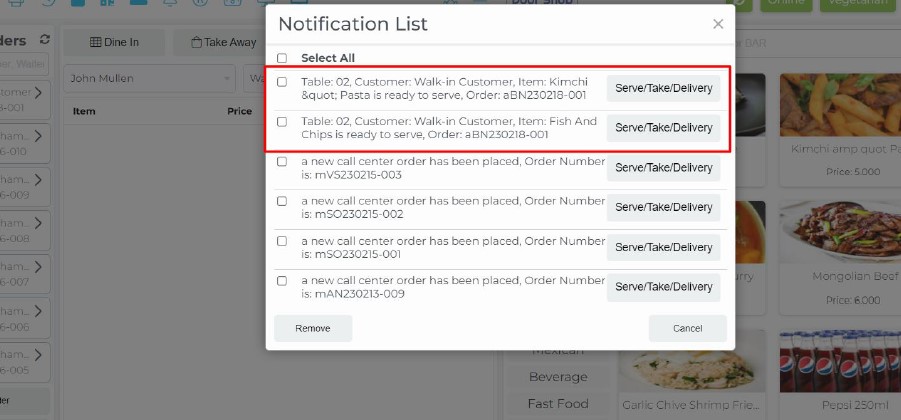
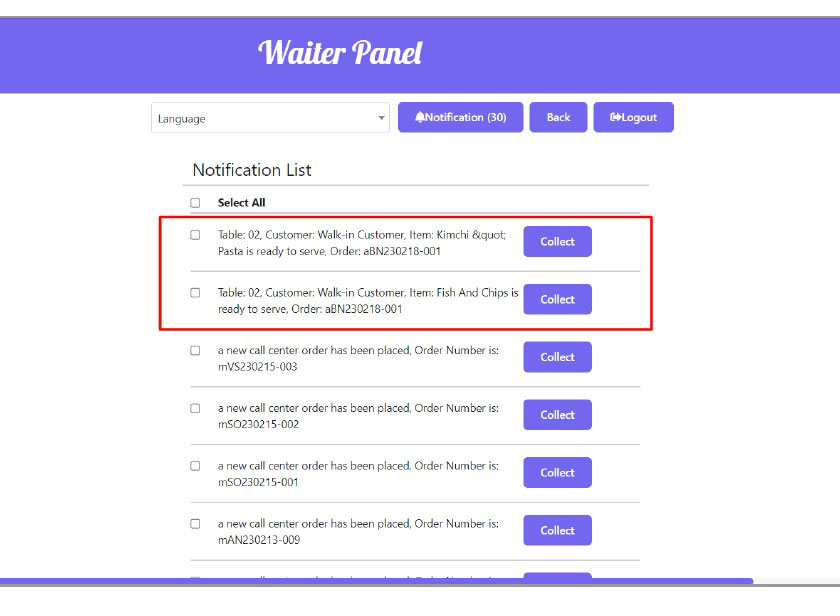
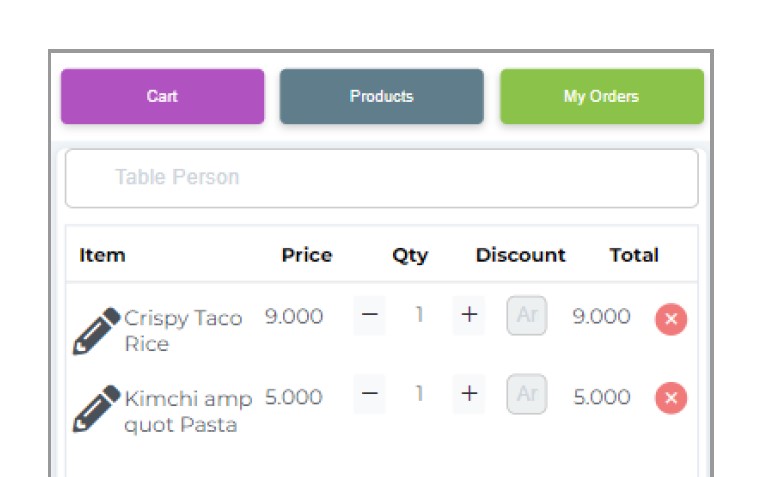
Take table order, Add new items to existing order, delete items. Sent order to kitchen monitor or print order to kitchen. Item prepared alert to waiter order delivered message makes the waiter and kitchen service much more easier.
Toppings - Preparation Note - Modifier

Item Preparation Note, Toppings with Price, Assign Different Toppings to Different Food Menu.

Using this feature you can add additional instructions from customers for the Chef to make the food.
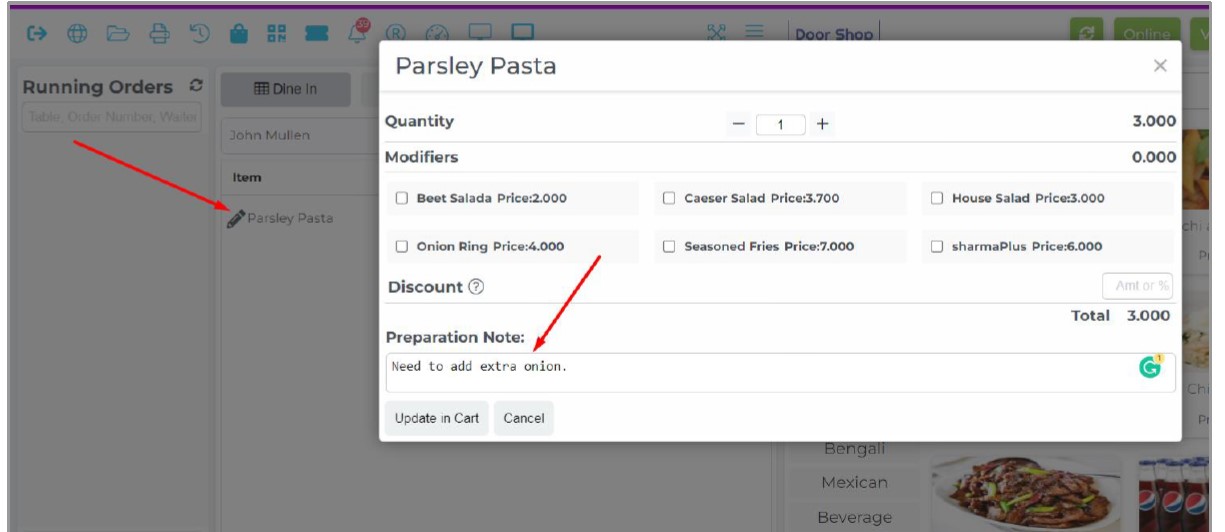
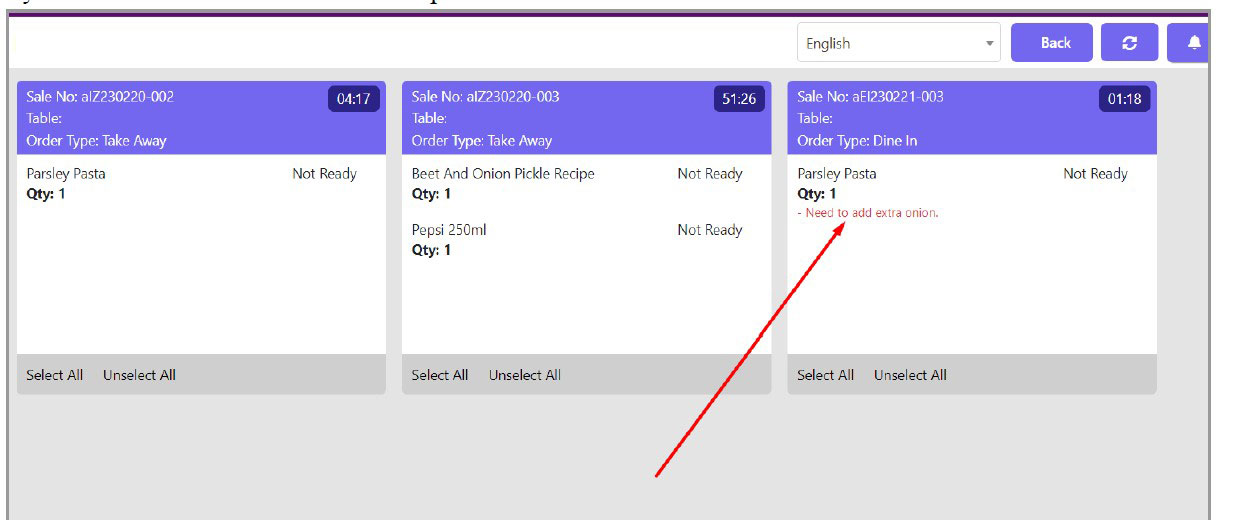
Item modifier is also called Toppings. Sometimes customers may ask for some additional small items along with the main dish and those small items are called Item Modifiers. In this system you can have multiple Item Modifiers with their recipe and can calculate costing, set their price etc.

Item Variation

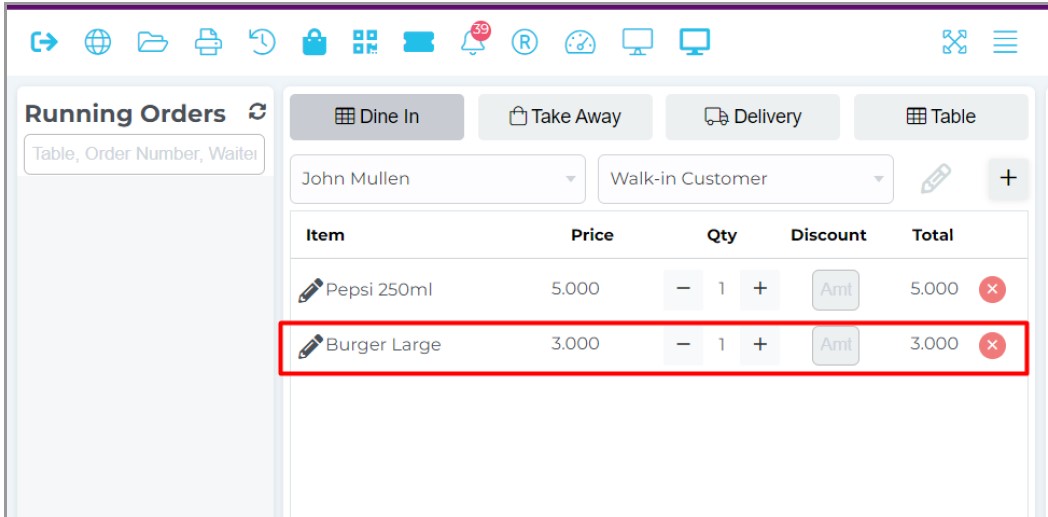
The system supports a robust feature of item variation where not only you can add multiple variants of an item but also the ingredients can be different, tax can be different, price can be different, easy variation creating features and easy identification code of same item’s variations. Eg: Your main Food Menu is Burger and then you will be able to create Small Burger, Large Burger under parent item etc.
Stock Transfer $ Low Stock Alert

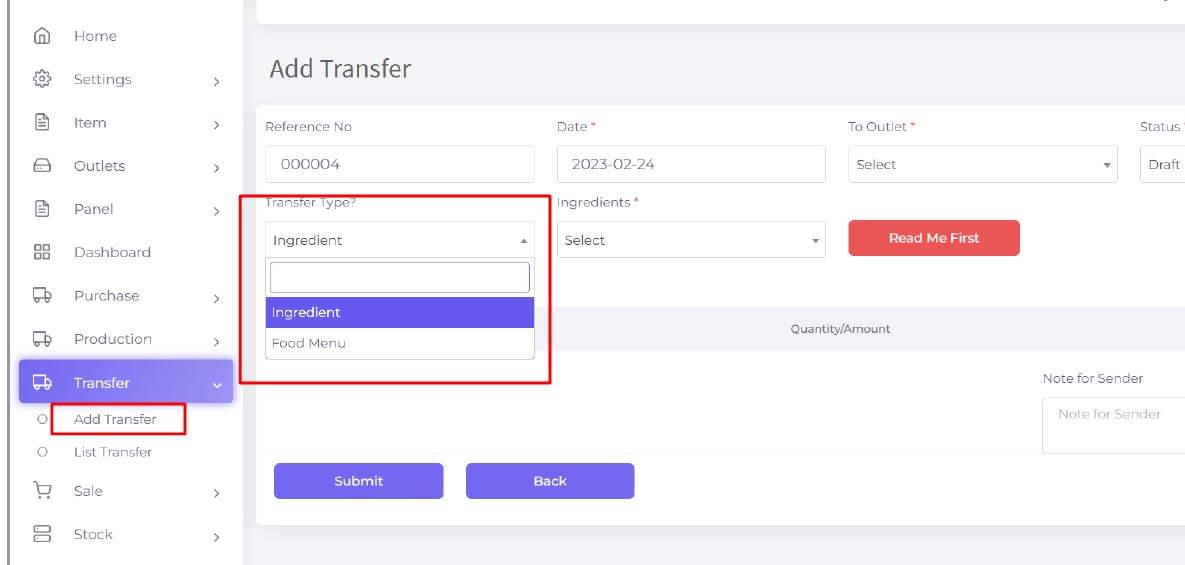
You will be able to transfer ingredients or food from your one branch/outlet to another branch/outlet in case you have no kitchen in your restaurant.
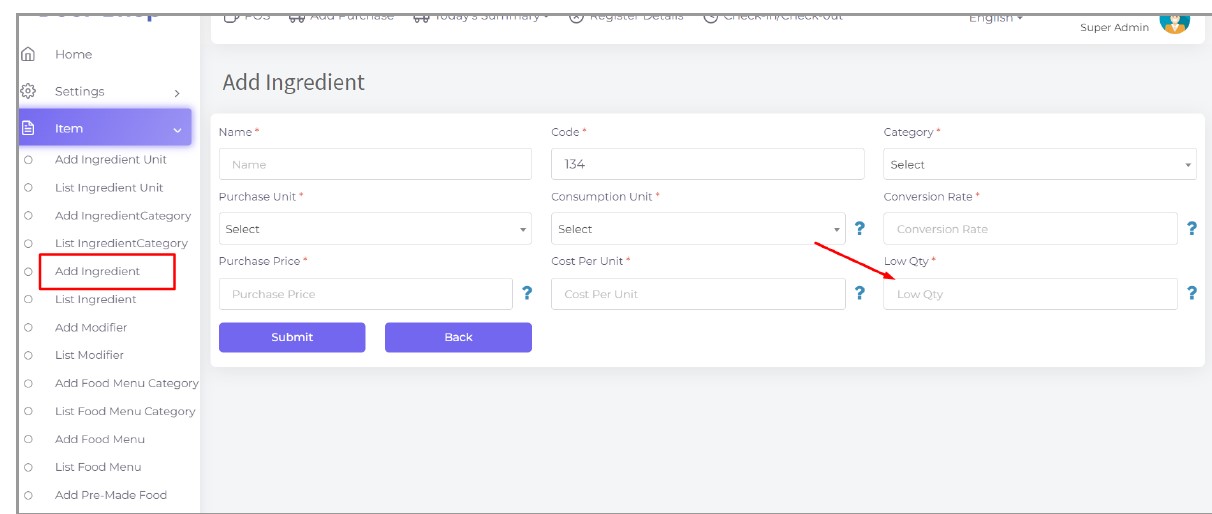
Using this module you can see how much ingredients you have in store under low stock and you need to purchase right now. This will mark it as red when the stock is under the low stock. We set the low stock quantity in the ingredient profile.
Report, Easy profit & sales calculation

Easy profit analysis of report, with tabular & graphical representation. Get overall summary of sales, profit, tax, returns, inventory items, stock details etc.

Register Report, Z Report, Product Analysis Report, Daily Summary Report, Food Sale Report, Daily Sale Report, Detailed Sale Report, Consumption Report, Stock Report, Profit Loss Report, Attendance Report, Supplier Ledger Report, Customer Ledger Report, Purchase Report, Expense Report, Waste Report, Tax Report, Food Menu Sale By Category Report, Waiter Tips Report, Audit Log Report, Available Loyalty Point Report, Usage Loyalty Point Report, Transfer Report, Production Report etc.
Combo / Deal

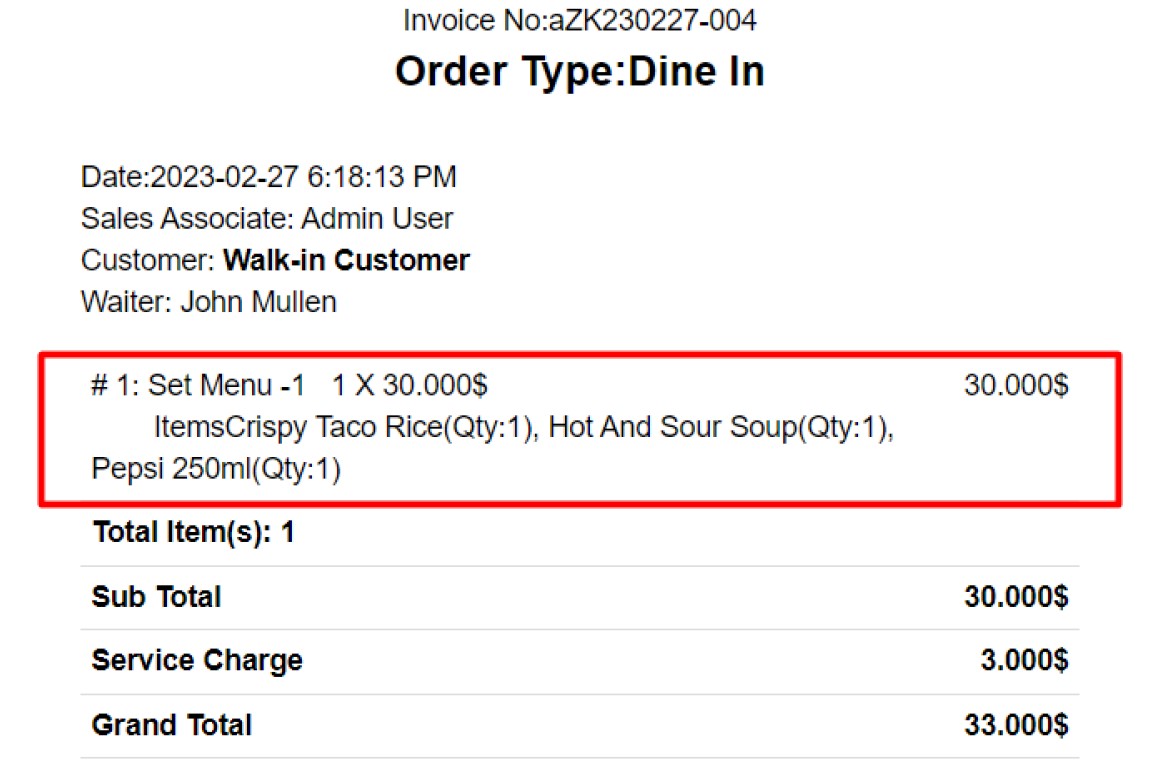
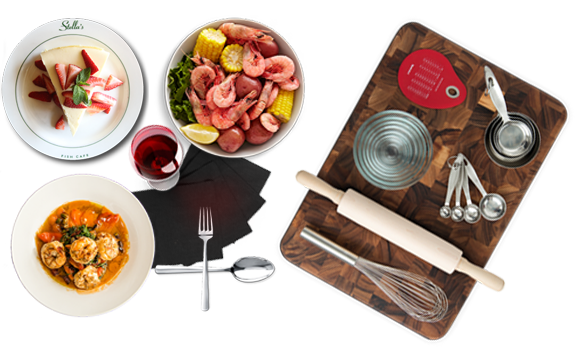
You can create a food item that will be a combination of multiple food items. That is called a combo item. Eg: Family Feast Combo (2 Burgers, 2Chicken Wings, Large Fries, 2 Drinks).
Sometimes Combo Items are called Set Menu. also when you sell a combo item, the ingredients stock of all food items of that combo item will get deducted from POS.

Promotion (Discount and Free Item)

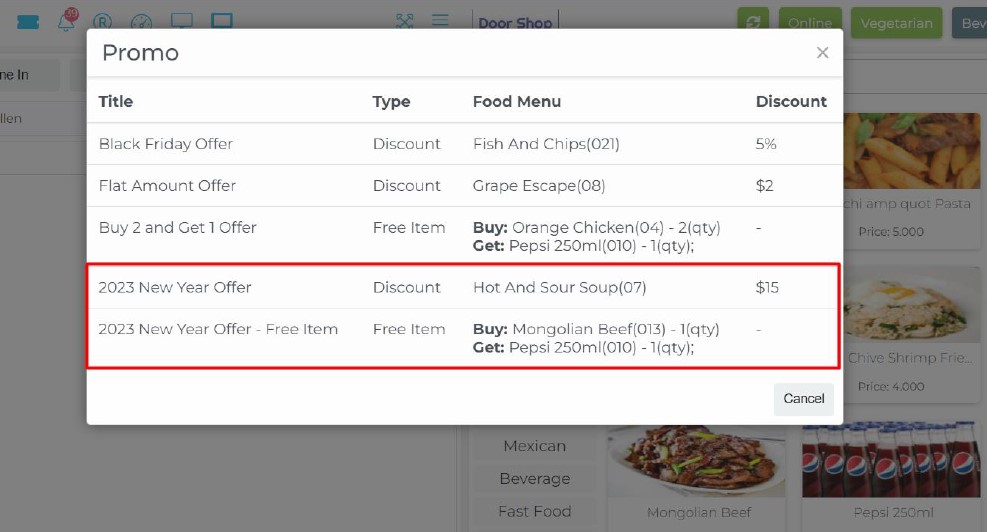
There is a full featured promotion system that supports discount promotion(flat amount/percentage), Buy X Get Y type promotion along with date range and selective items. You can run multiple promotions on multiple items at a single time and that promotion will be automatically applied when clicking on an item. Also you can easily see items in POS which have a promotion by clicking on a button. System will also keep a record of all of your previous promotions and when a promotion’s date will be over it will stop applying for promotion automatically.

Loyalty Point

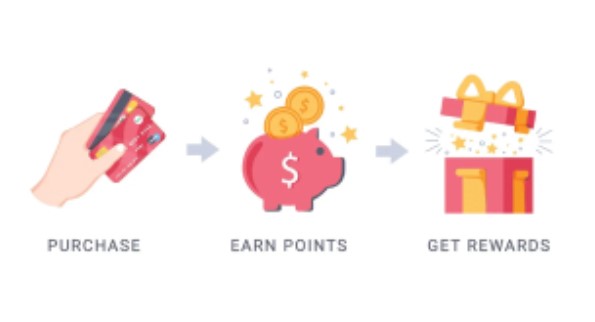
Loyalty Point for Each Item, Customer Loyalty Account, Redeem Point, Enable/Disable

SMS

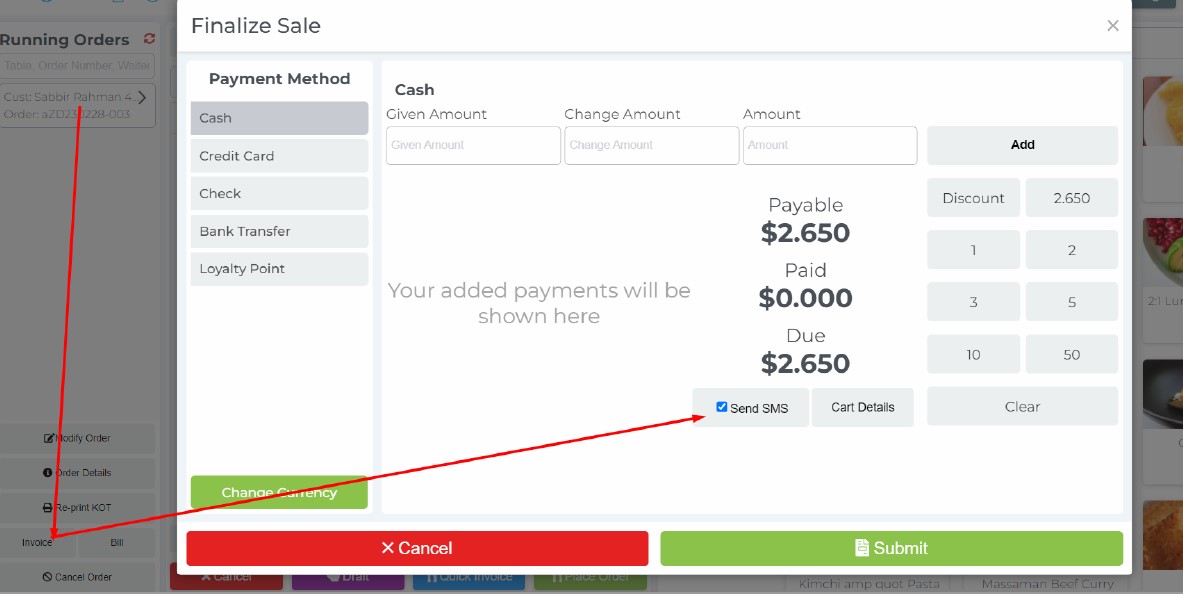
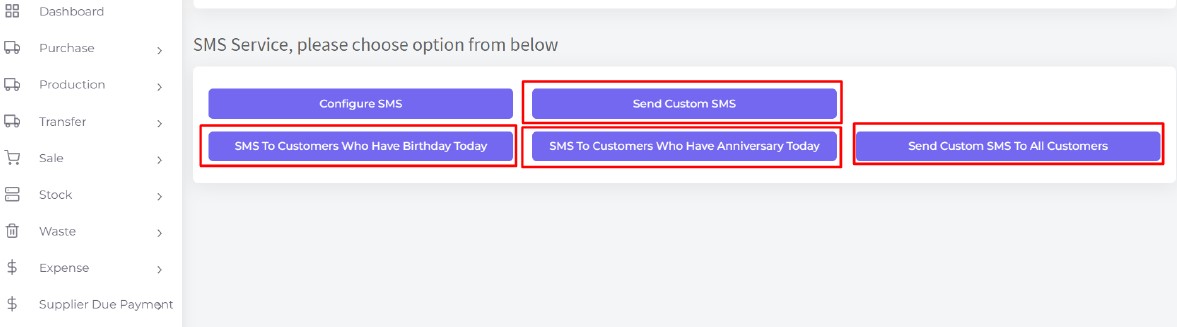
Promote your brand by promotional SMS to customer regularly from your POS system. By creating customer profile, Message the details regarding new deals discounts & bring your customers back to store. Using this feature you can set up your SMS service and also can send SMS to the customers either with any custom purpose or in sale invoice to their mobile phone. Note: For this feature you have to buy sms plans additionally.

Multi-Currency & Multi-tax

Integration of multi-currency feature enable software operational at any country. Variable currency symbol integrated. Multi-tax facility ensure the application of variable tax on products.

Offline mode / Offline Sync

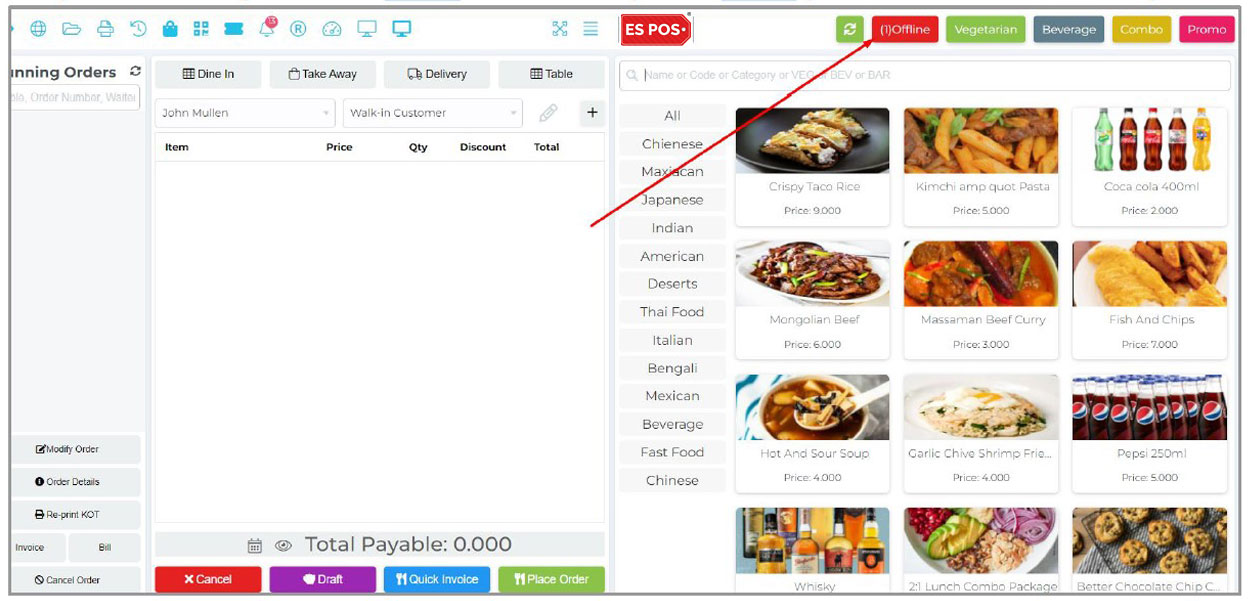
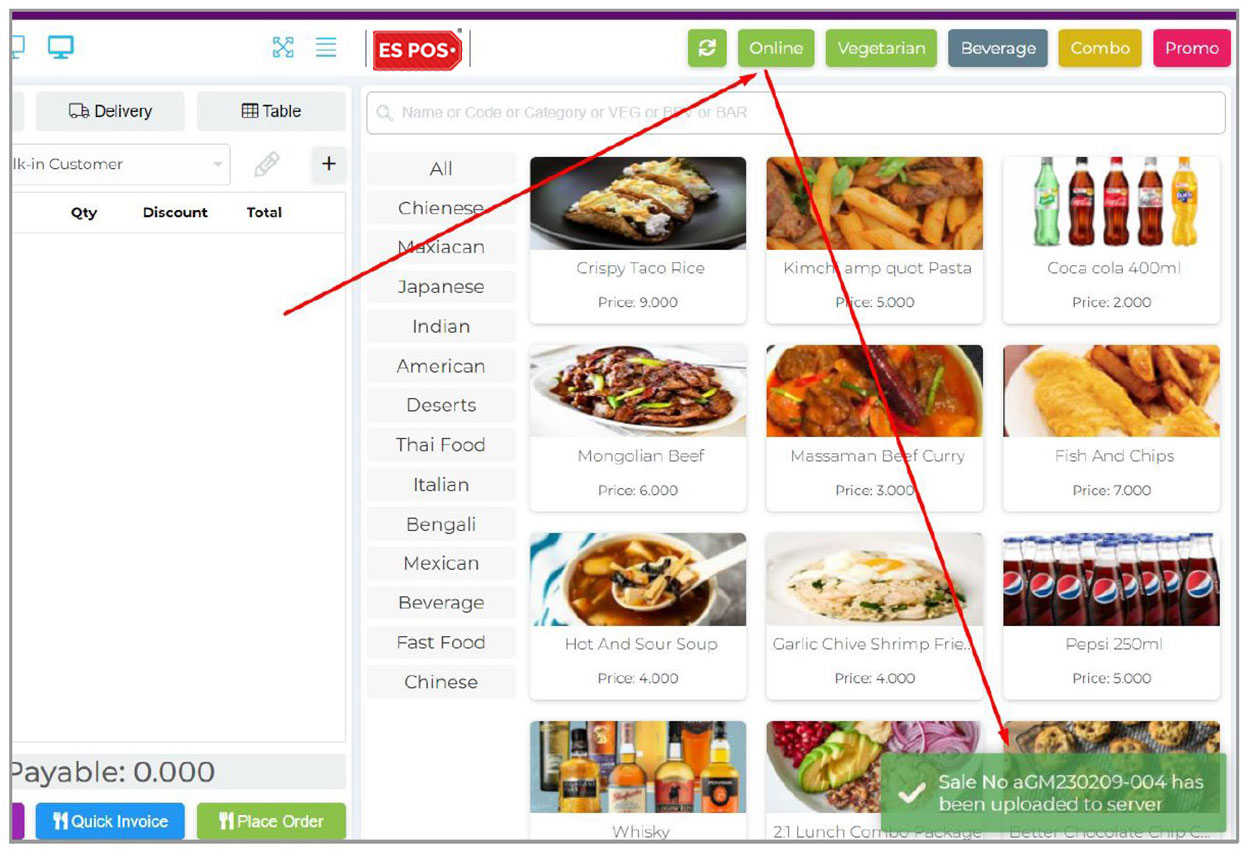
Sometimes the internet may go suddenly in your restaurant and customers are waiting to place their orders. In that very crucial moment our system will work uninterruptedly. It will automatically detect that the internet is gone and start storing data in your local database, you have to do nothing but to continue your ordering process. And when the internet will come again the system will detect that too automatically and send all locally stored data to your server.

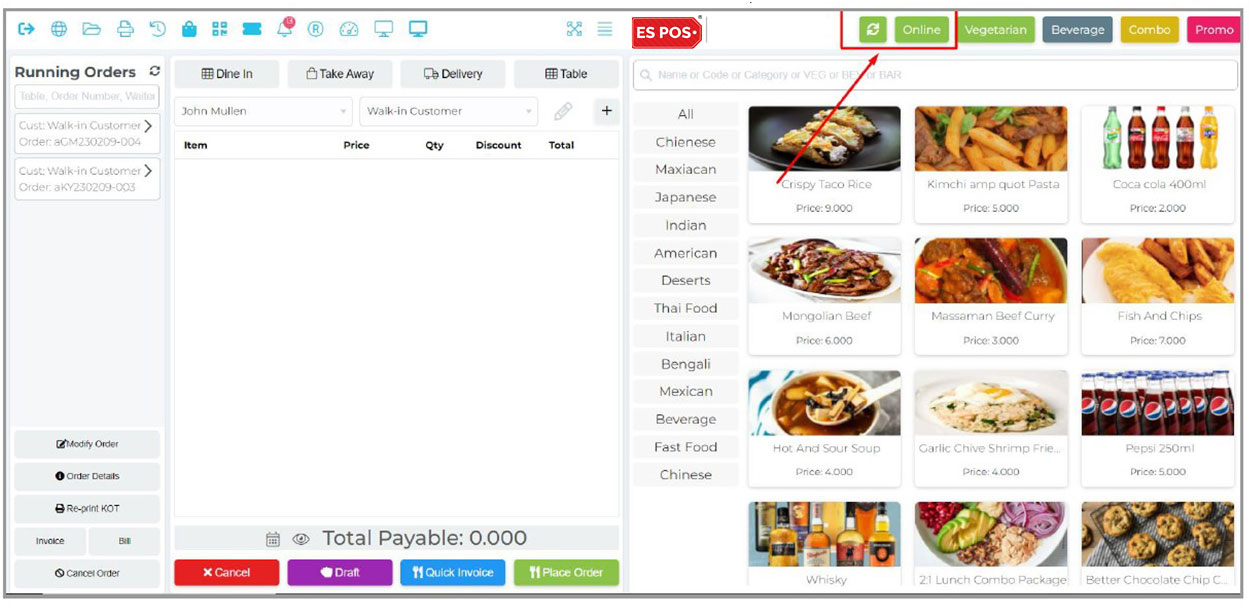
When you are connected to the network it will show you like that.

Now what you will see when the system is offline, let’s disconnect the internet connection. The system generated an invoice and stored that locally, when the internet connection is back, the system will change the status offline to online and sync the offline generated invoice automatically.

Multi Outlet-Branch

If you have multiple business locations or branches of the same restaurant please manage those from here as outlets, Can use the software over multiple counters with different logins from different location. All the data can be managed, analyzed and monitored from anywhere around global, all you need is a web browser. If your are opening your restaurant over a multiple locations, you can manage and monitor the entire sales of each outlet by sitting at your home.

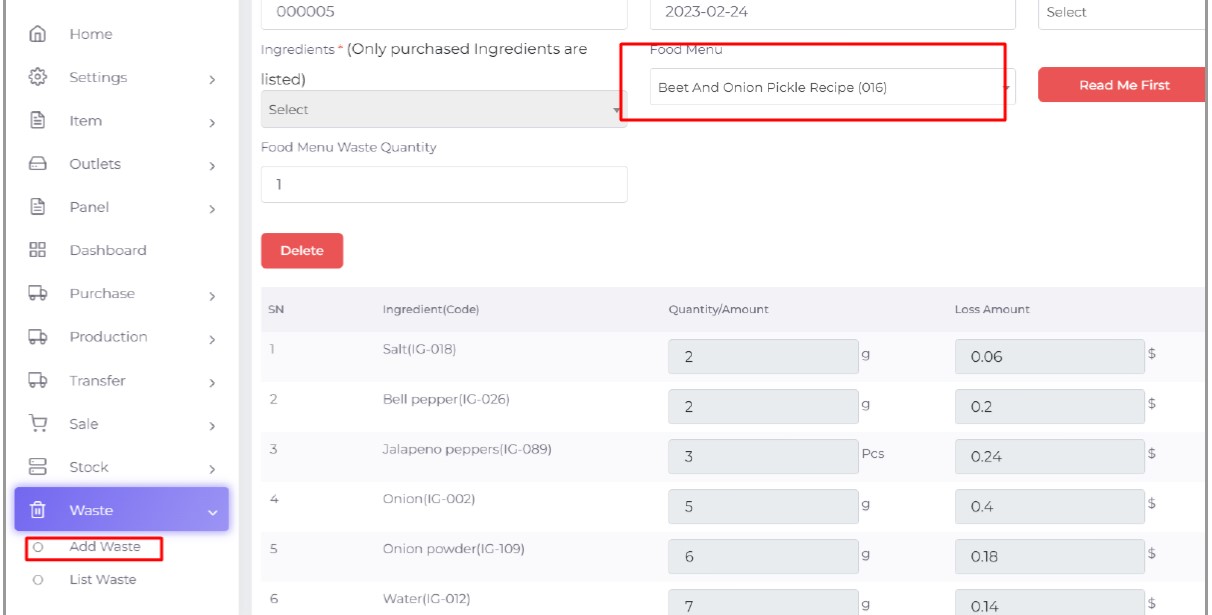
Waste Tracking

Ingredient Wise Waste Tracking, Food Menu Wise Waste Tracking etc.

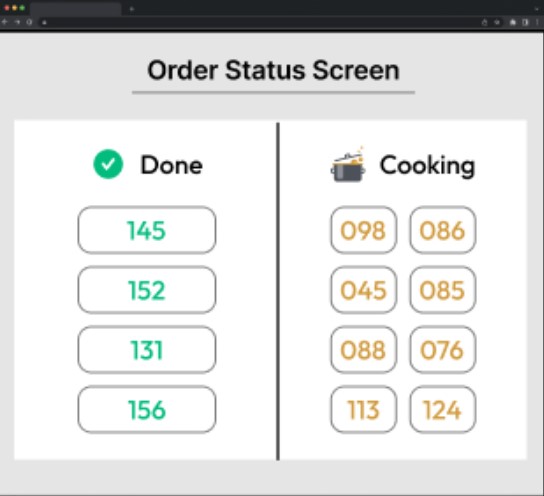
Order Status Screen

List of Ready Orders to Pickup, List of In Progress Orders.

Order Cancel & Delete Log (Audit Log)

Cancel and Delete Order Report to Prevent Fraud, Restrict User to Enter Item Remove Reason, Item Remove Log, Filter By Date Range, Filter By User.

ADD-ON EXTERNAL FEATURES

Employee Management with Attendance

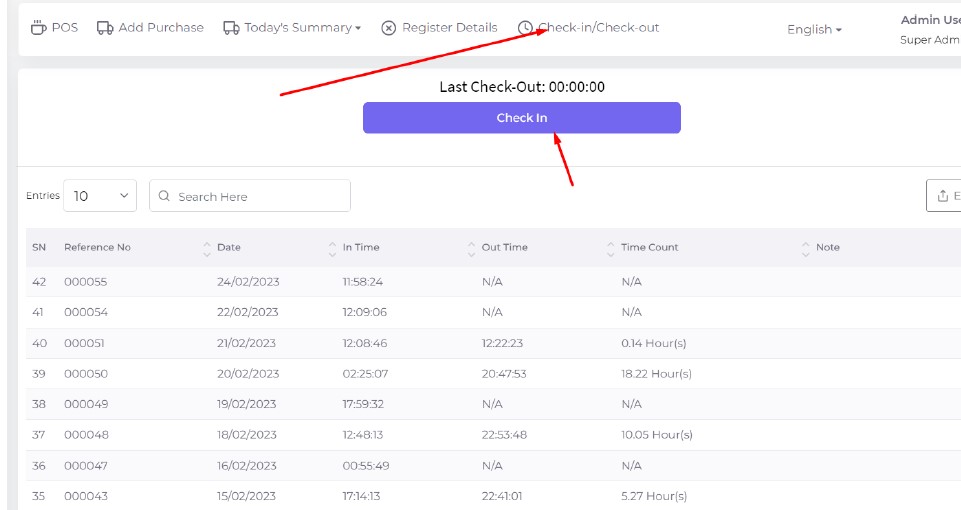
Here you can manage your employee attendance. Users can enter their attendance by check in and check out. And also admin can add attendance in case employees have no login access. Every check in/checkout time will consider their attendance hours.

Website Online Booking/Reservation/Order

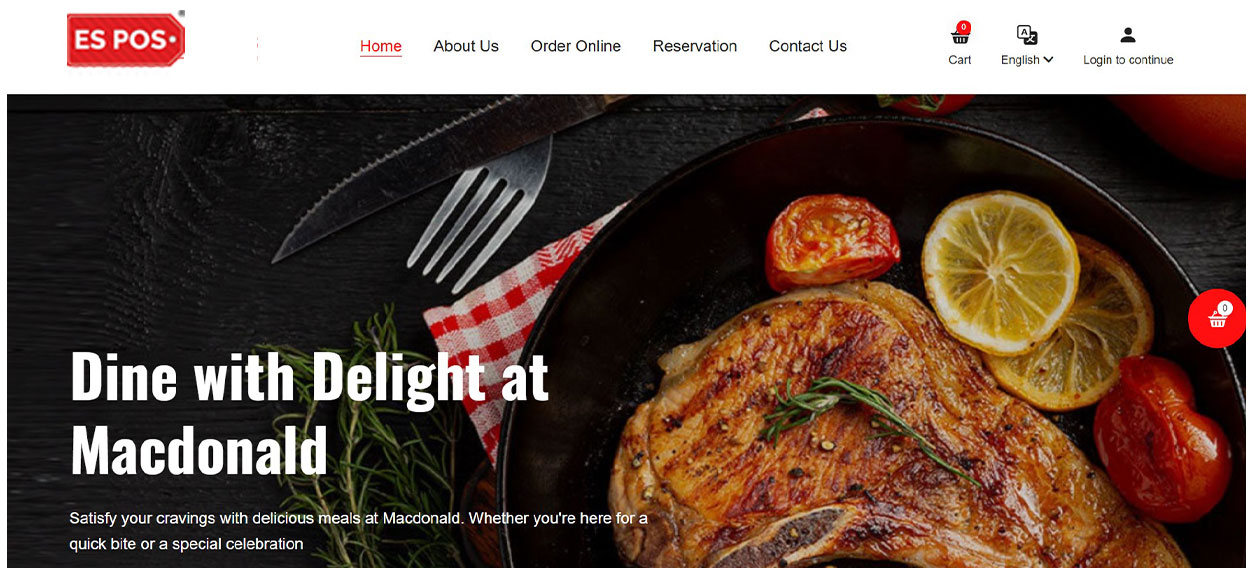
Attractive Website, Custom Branding, Customizable Color, Online Ordering for Customer, Registration and Login, Payment Gateway Integration, Cash On Delivery, Customer Can Reserve Table via Online, Selecting Date, Time & Number of Person, Customer Order History etc.

QR Code Self Ordering

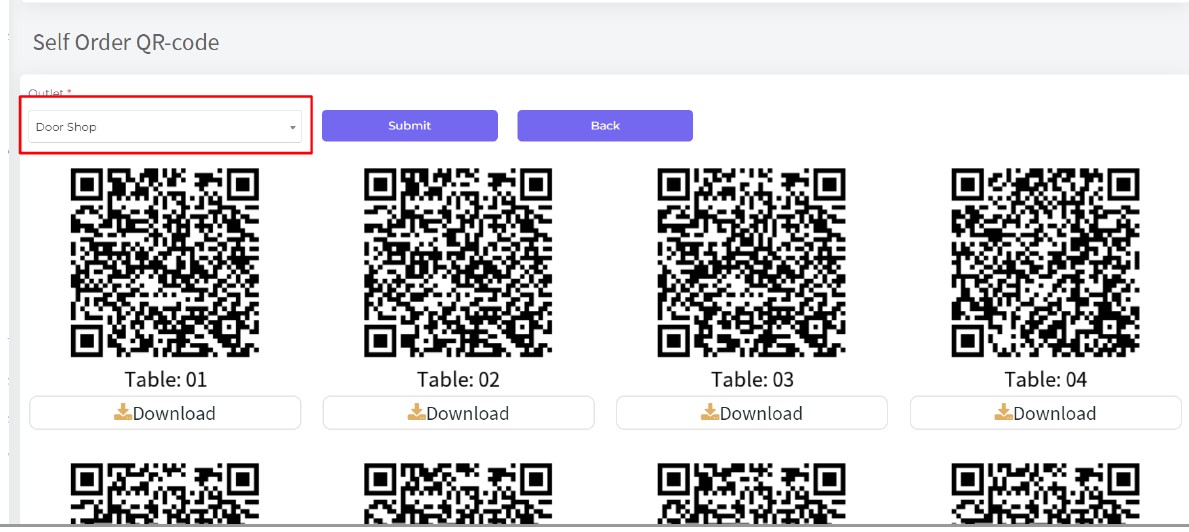
Using this feature system will allow us to generate QR codes for each table so that customers can order after scanning the QR code from their phone, Choose Food & Order, Cashier Accepts/Declines.

Recipe Management/Recipe Wise Cost Calculation

Recipe Management for for Preparation and also can calculate Recipe Wise Cost.