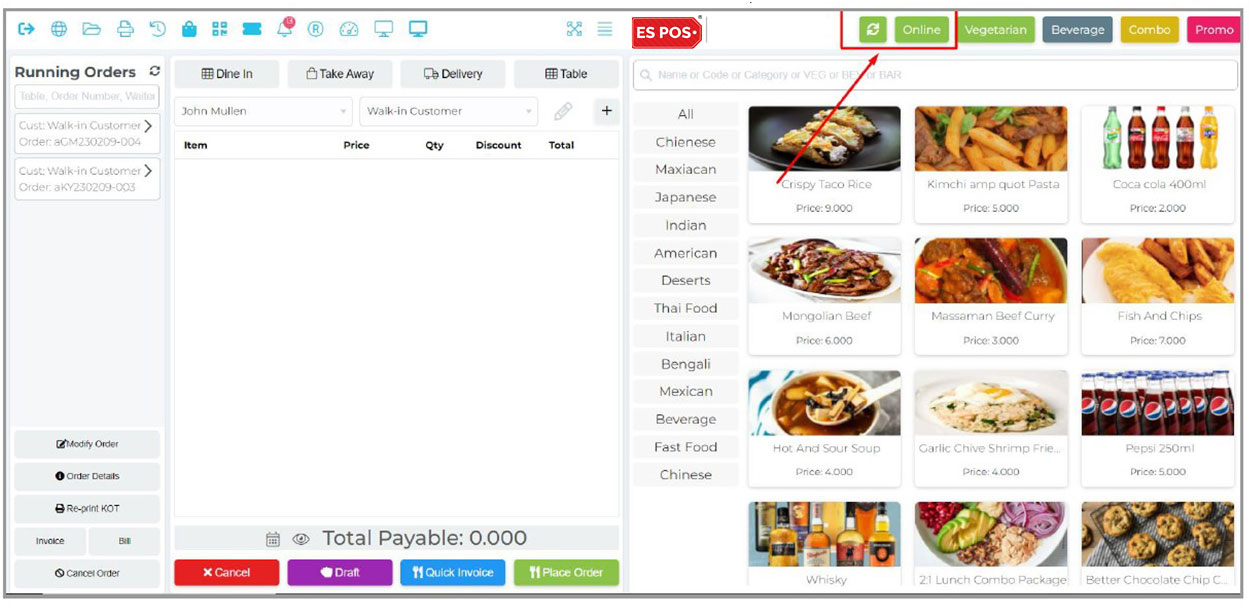
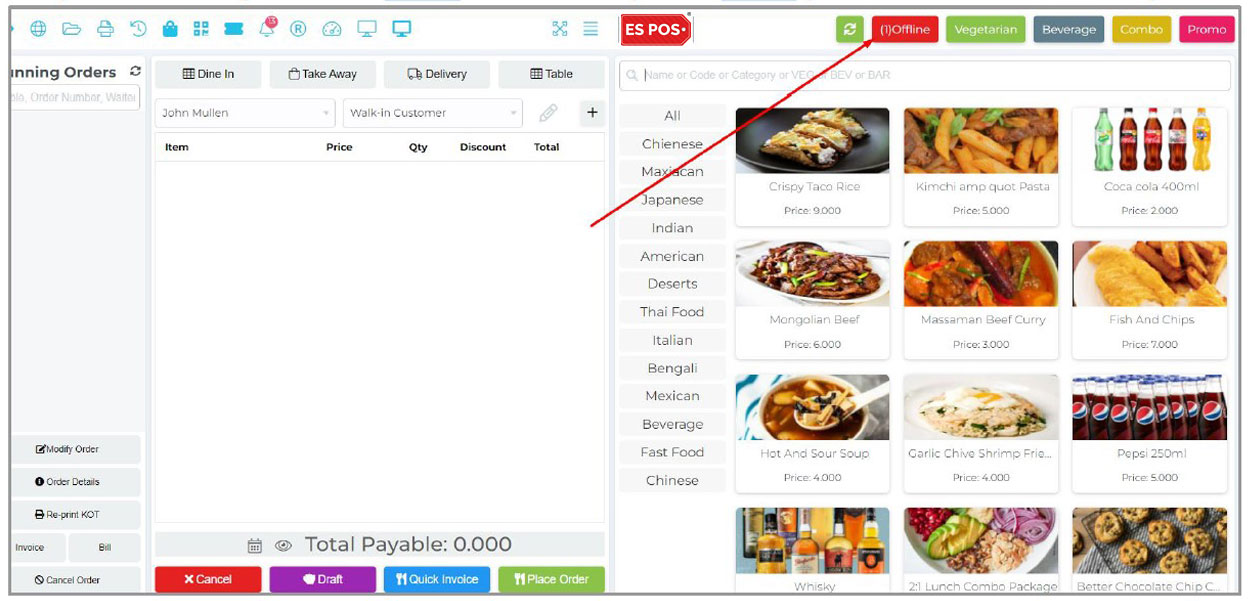
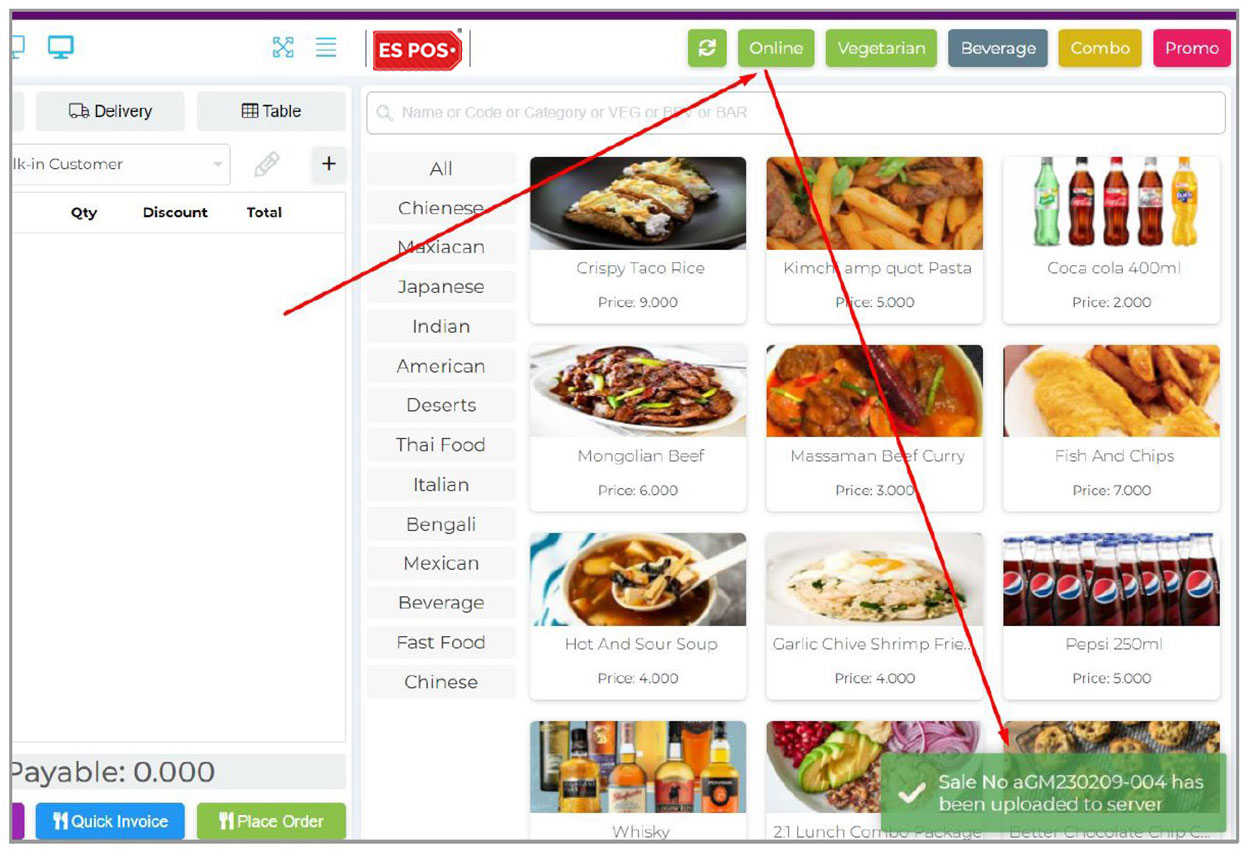
Espos restaurant billing software ease the restaurant billing / sales function by providing single click access to Menu & Table. Process Sales, Return fast and smarter way. Integrated Take away / Parcel Services.
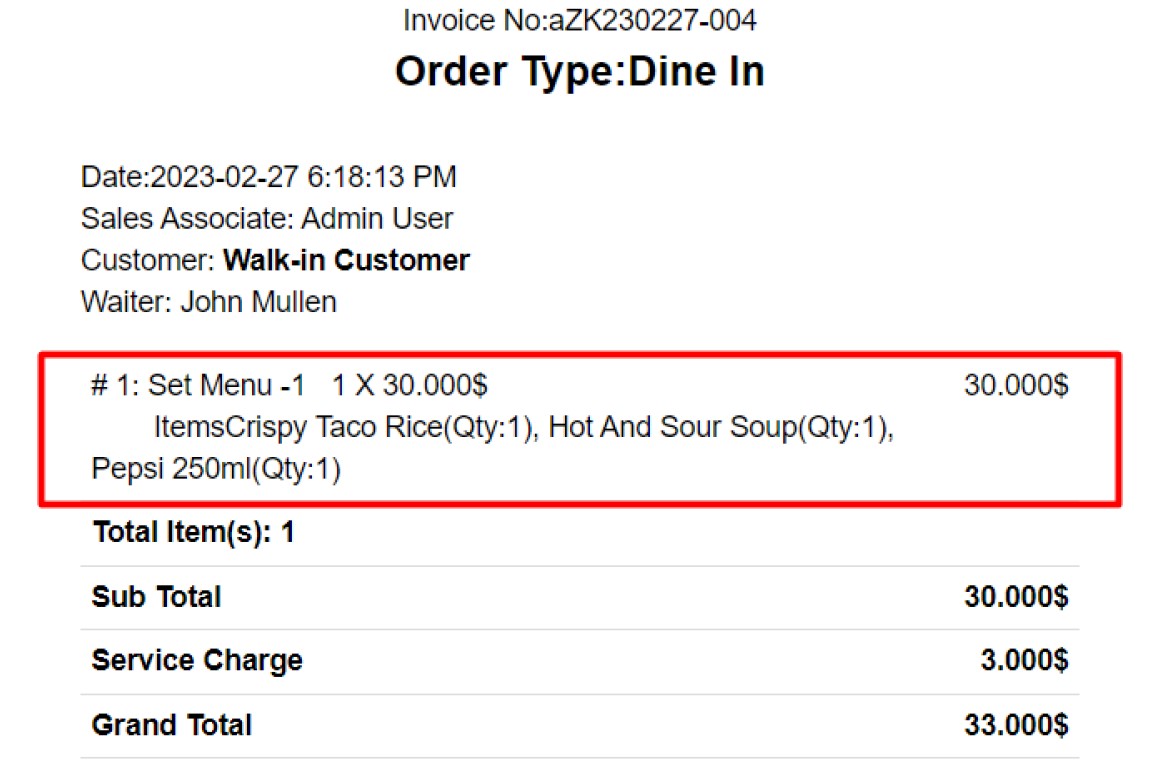
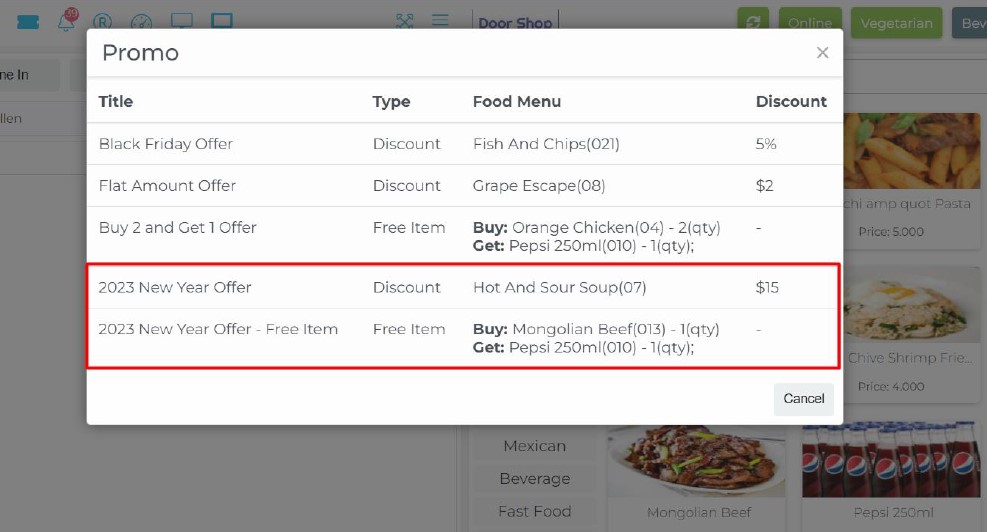
Post & Pre-payment Support, Running Orders, Add New Item to Running Order, Running Order Cancel, KOT Print/Kitchen Update for Only Modified Items, Dine In, Take Away, Delivery Order, Service/Delivery Charge, Table With Time Tracking, Instant Item Search, Most Selling Items Appear First, One Click To Find All Veg Items, One Click To Find All Beverages, Print KOT, Kitchen Notification, Discount by Item, Discount on Total, Discount by Fixed or Percentage, Waiter Assignment, Instant Customer Add Option, Hold Sale, Tab Responsive.
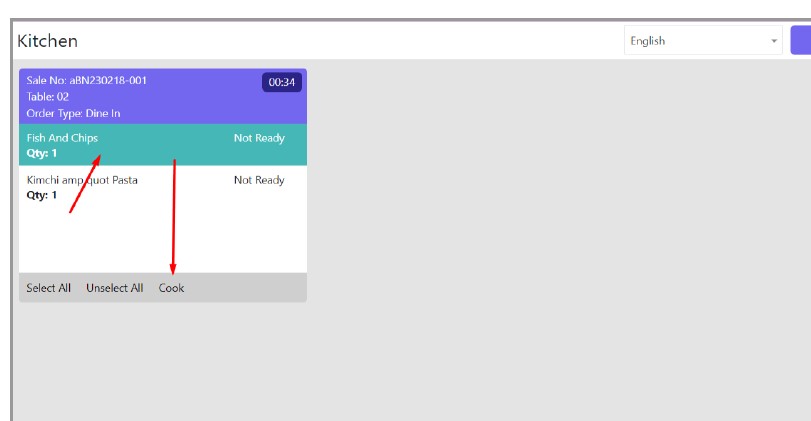
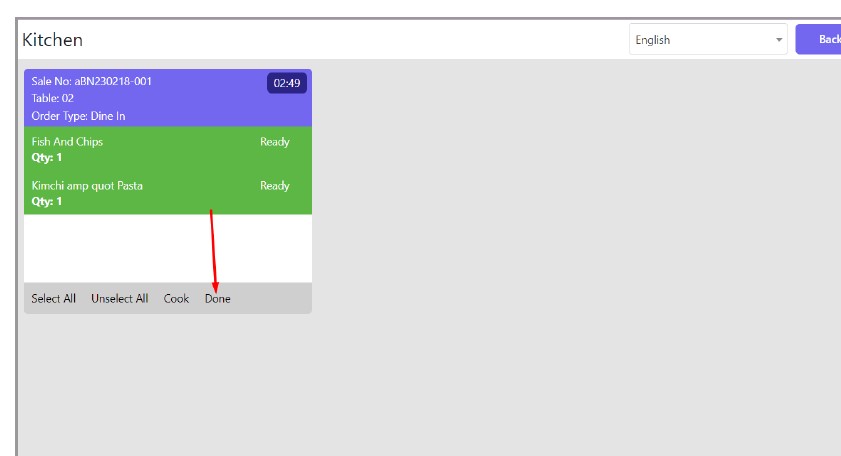
ESPOS POS software allow waiters to sent orders to kitchen monitor or kitchen printers. Place, change, add or remove items directly to kitchen make ESPOS billing software differ from other billing software.
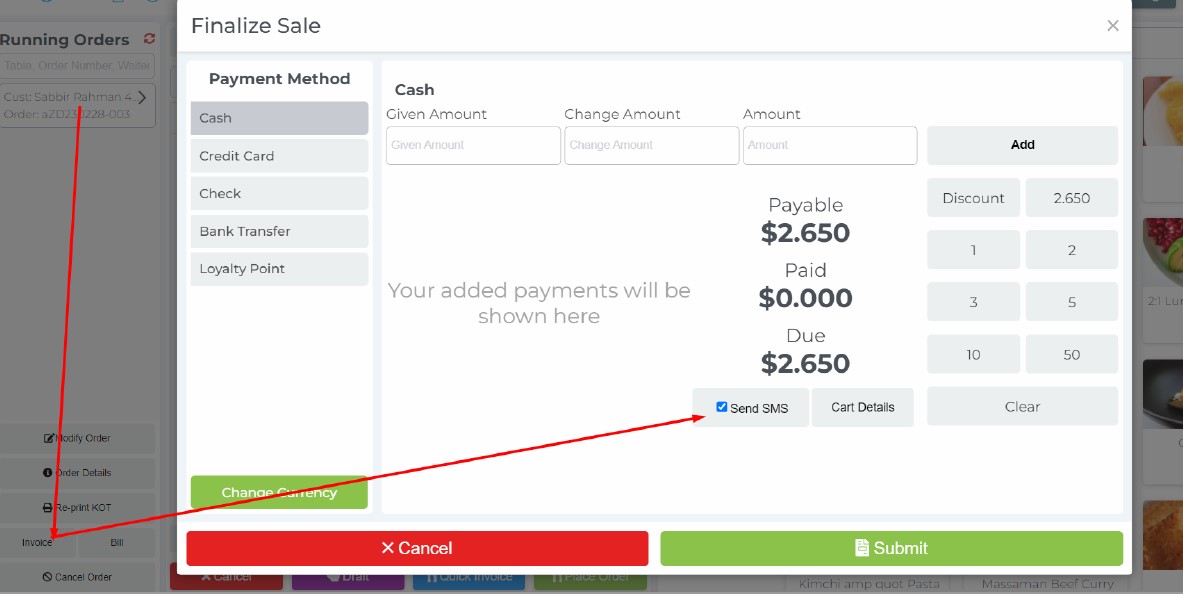
Here there are two types of ordering processes. One is Prepayment where customers have to pay in advance when ordering the food. In the Post Payment option, customers can pay bills after eating or taking the food. You can set any of those based on your restaurant type.
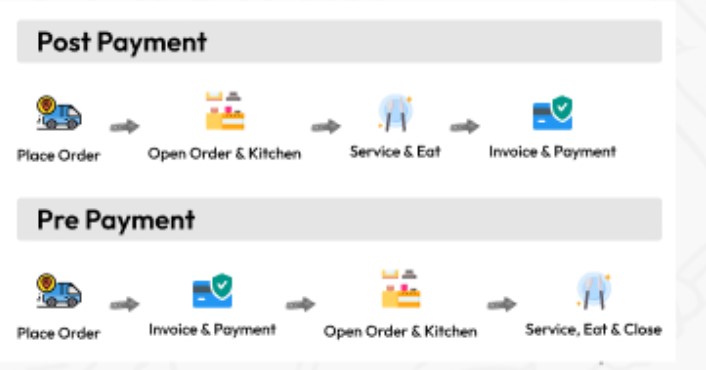
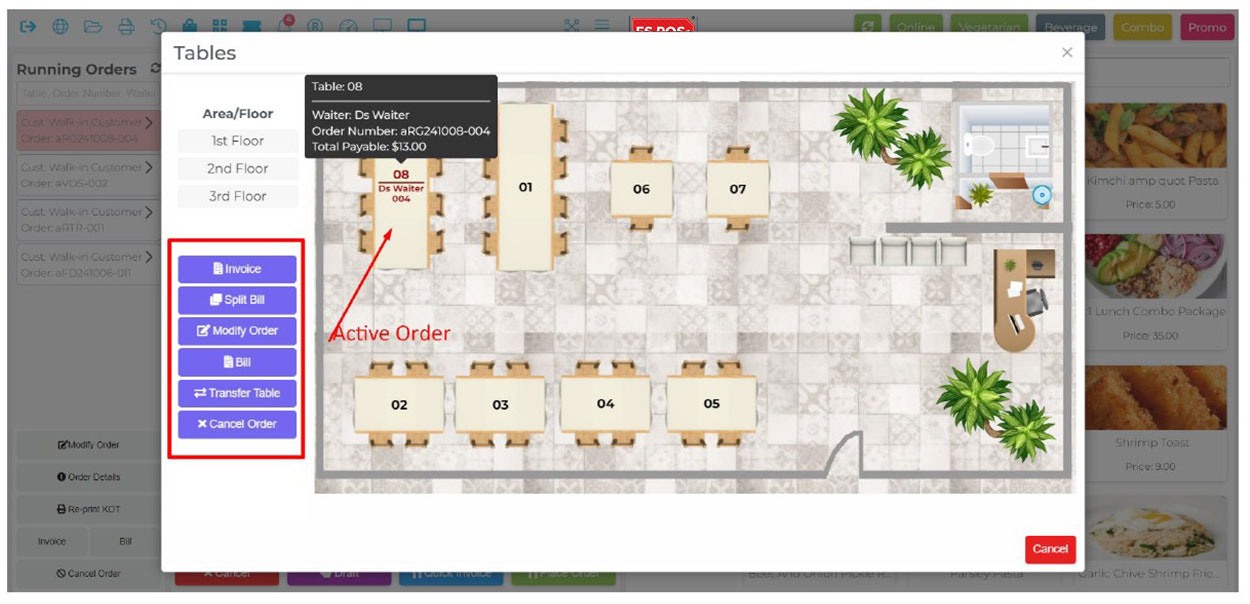
Table Management, Realistic Table Layout Design, Area Wise Table Management, Table Selection for Dine In, Table Time Tracking, Restrict Table Selection On Ongoing Table etc.
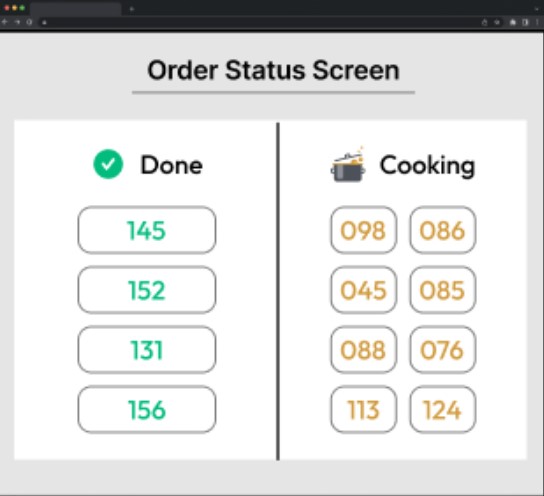
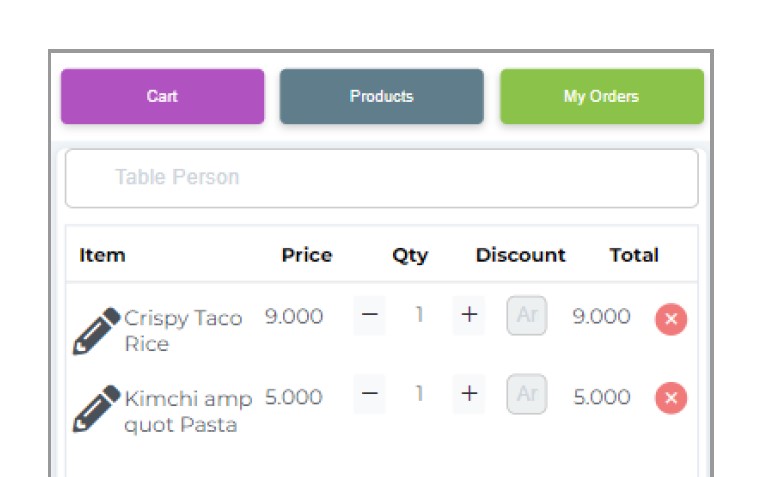
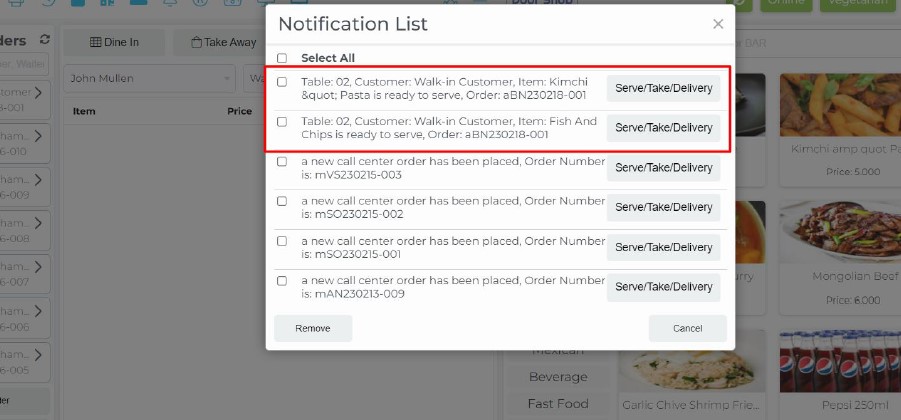
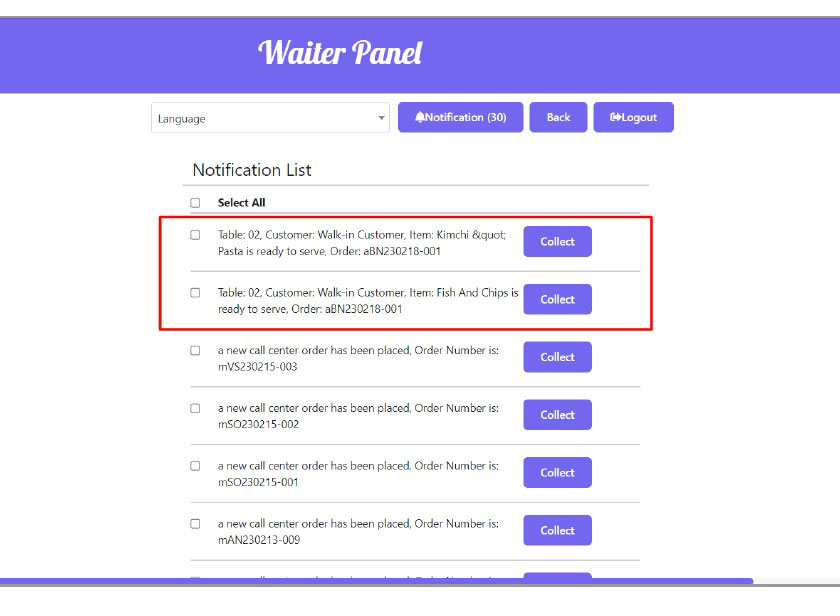
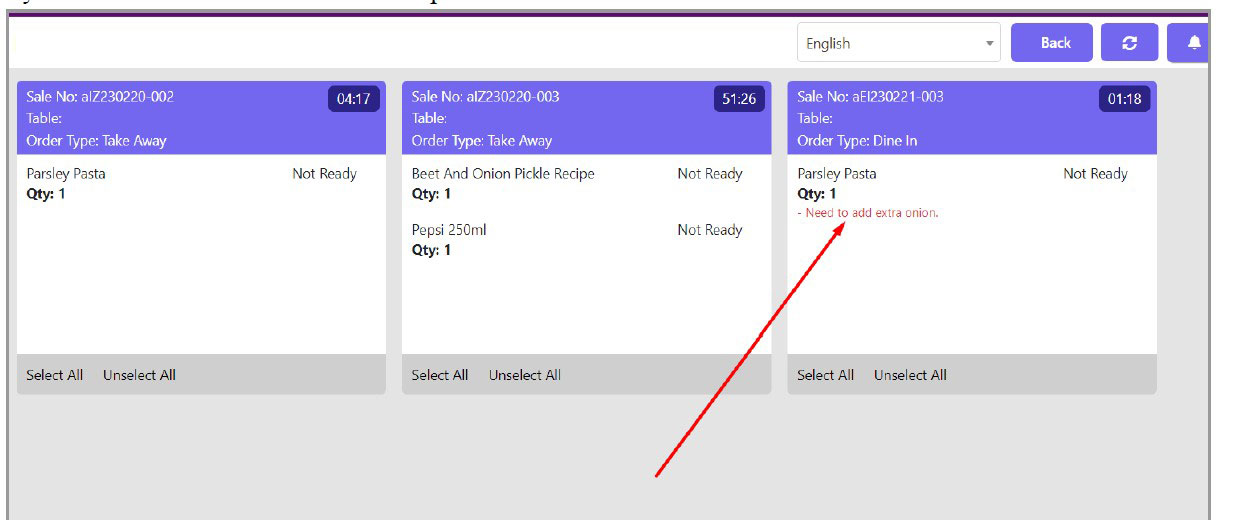
Take table order, Add new items to existing order, delete items. Sent order to kitchen monitor or print order to kitchen. Item prepared alert to waiter order delivered message makes the waiter and kitchen service much more easier.
Item Preparation Note, Toppings with Price, Assign Different Toppings to Different Food Menu.
Using this feature you can add additional instructions from customers for the Chef to make the food.
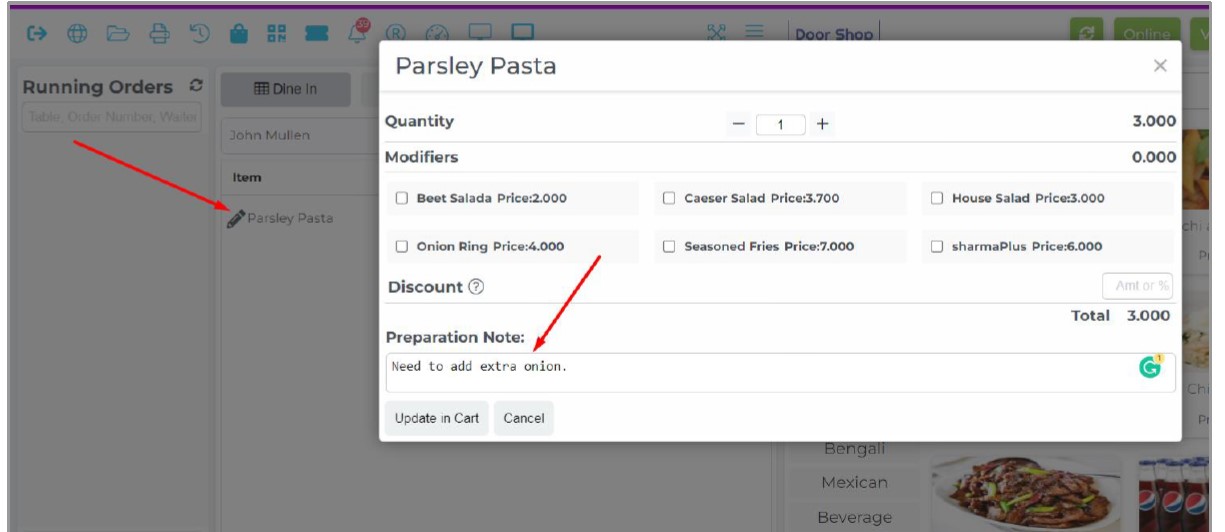
 Item modifier is also called Toppings. Sometimes customers may ask for some additional small items along with the main dish and those small items are called Item Modifiers. In this system you can have multiple Item Modifiers with their recipe and can calculate costing, set their price etc.
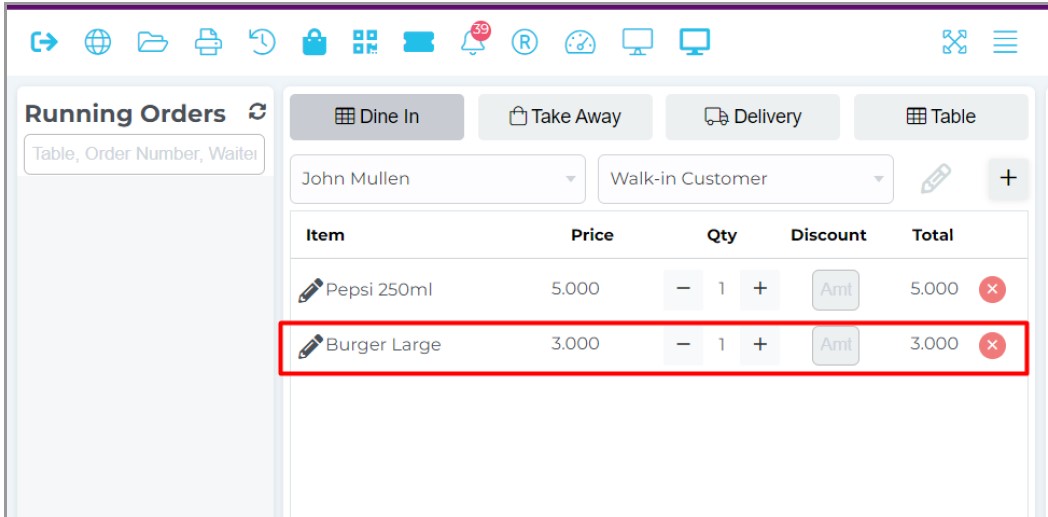
The system supports a robust feature of item variation where not only you can add multiple variants of an item but also the ingredients can be different, tax can be different, price can be different, easy variation creating features and easy identification code of same item’s variations. Eg: Your main Food Menu is Burger and then you will be able to create Small Burger, Large Burger under parent item etc.
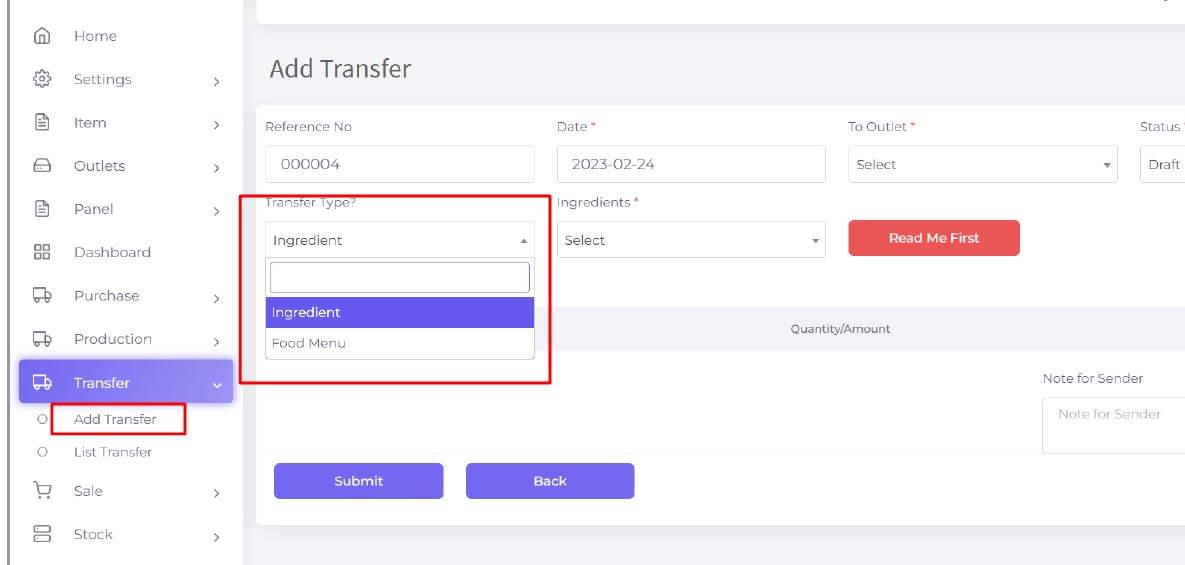
You will be able to transfer ingredients or food from your one branch/outlet to another branch/outlet in case you have no kitchen in your restaurant.
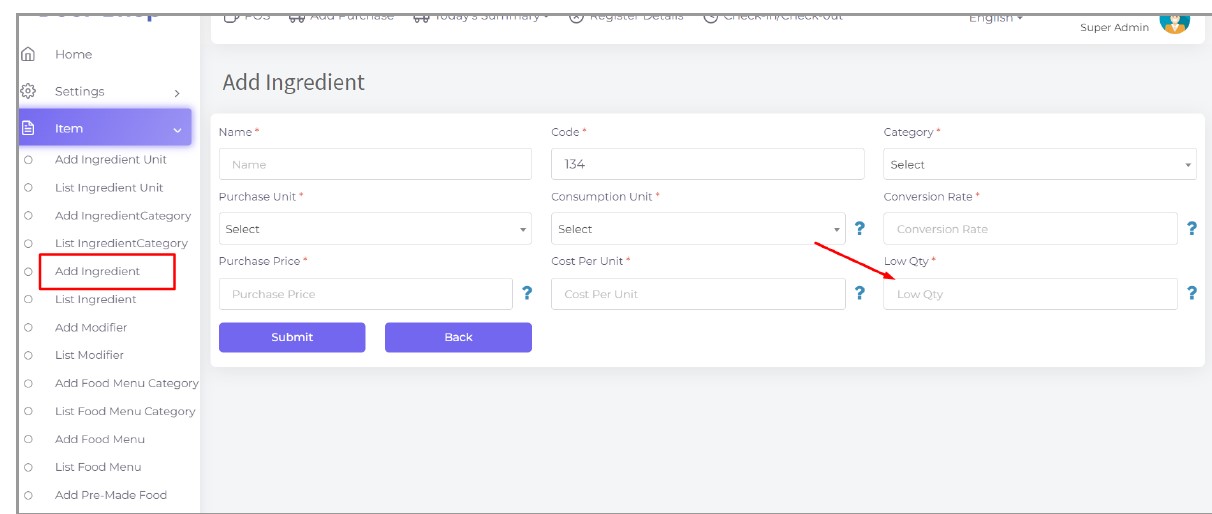
Using this module you can see how much ingredients you have in store under low stock and you need to purchase right now. This will mark it as red when the stock is under the low stock. We set the low stock quantity in the ingredient profile.
Easy profit analysis of report, with tabular & graphical representation. Get overall summary of sales, profit, tax, returns, inventory items, stock details etc.
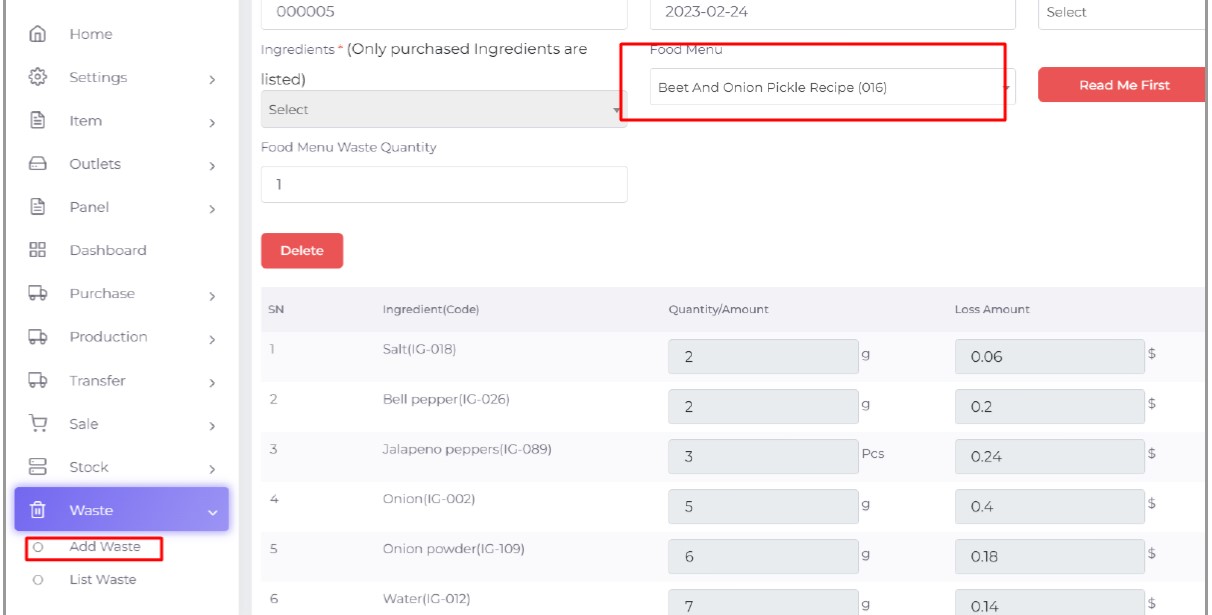
Register Report, Z Report, Product Analysis Report, Daily Summary Report, Food Sale Report, Daily Sale Report, Detailed Sale Report, Consumption Report, Stock Report, Profit Loss Report, Attendance Report, Supplier Ledger Report, Customer Ledger Report, Purchase Report, Expense Report, Waste Report, Tax Report, Food Menu Sale By Category Report, Waiter Tips Report, Audit Log Report, Available Loyalty Point Report, Usage Loyalty Point Report, Transfer Report, Production Report etc.